Compare
Squeezels vs Preview
Every Mac already has Preview. Here's what it can do with images, and where Squeezels goes further.
Download on theMac App StoreFree download · macOS 14 Sonoma or later · Mac with Apple silicon
The short answer
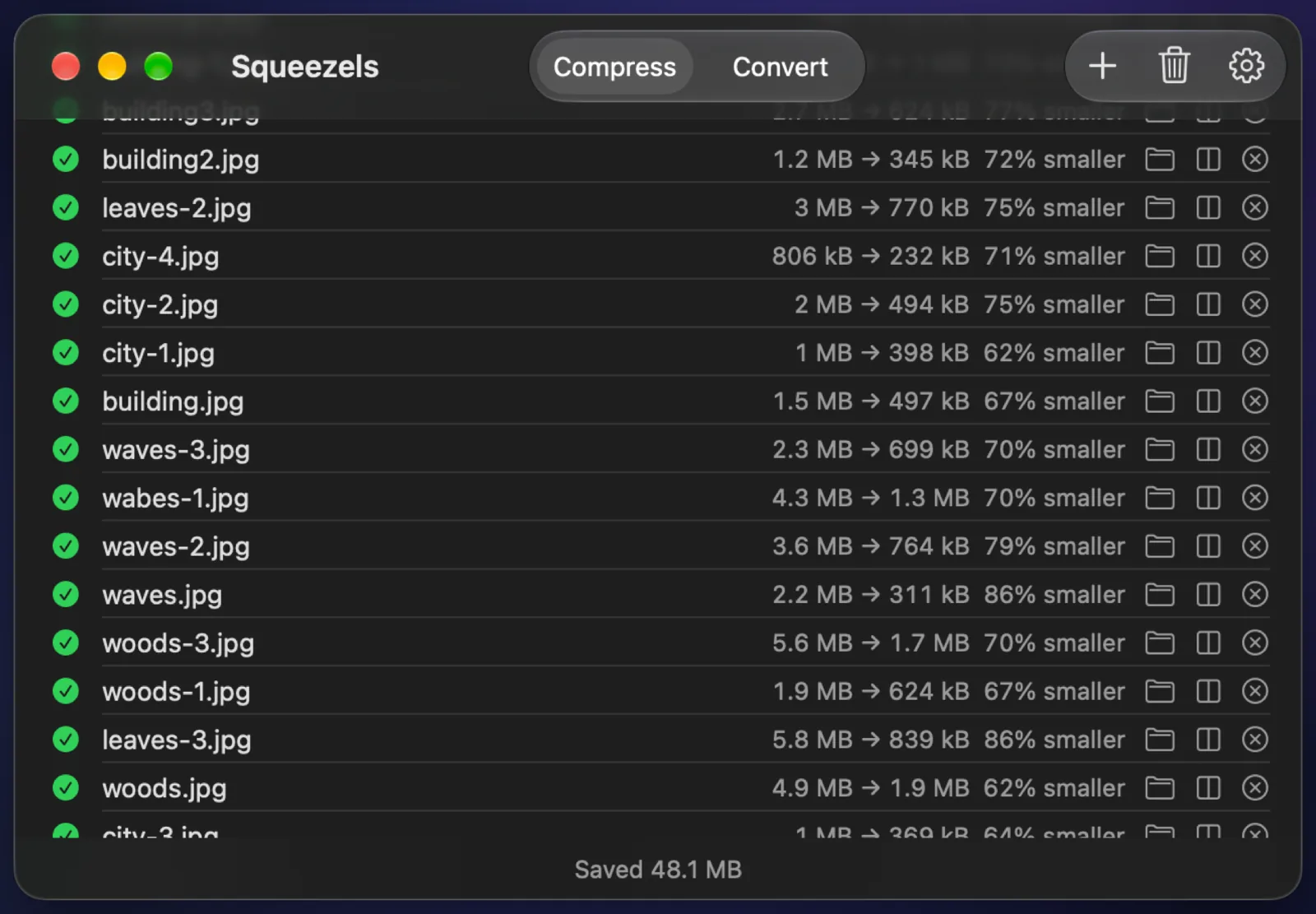
Preview is free, already installed, and fine for exporting a few images as JPEG, HEIC or PNG. Squeezels is a dedicated compressor: specialised encoders for smaller files, WebP and AVIF, metadata stripped by default, and whole folders in one drop.
Side by side
| Feature | Squeezels | Preview |
|---|---|---|
| Runs on | Mac (Apple silicon, macOS 14+) | Mac, built in |
| Price | Free: 30 images a day. Pro: $1.99/mo, $9.99/yr or $14.99 once | Free, included with macOS |
| Images stay on your computer | ✓Yes, processed on your Mac | ✓Yes |
| Compress JPEG & PNG | ✓Yes (mozjpeg, lossless oxipng) | ~Export with a JPEG quality slider; no PNG optimisation |
| WebP & AVIF | ✓Yes (libwebp, libavif) | ✕Not in Apple's list of export formats |
| HEIC (iPhone photos) | ✓Yes | ✓Yes, opens and exports HEIC |
| Convert between formats | ✓Yes, with Pro: anything macOS opens → JPEG, PNG, HEIC, WebP, AVIF | ✓Yes: HEIC, JPEG, JPEG-2000, OpenEXR, PDF, PNG, TIFF |
| Batch: many files and folders | ✓Yes, one image per CPU core | ~Select several images in the sidebar, then Export |
| Resize | ✓Yes: 4096, 2560, 1920 or 1280 px | ✓Yes, Tools → Adjust Size |
| Strip EXIF & GPS | ✓Yes, on by default | ✕No option to strip it on export |
| Drop on the menu bar | ✓Yes | ✕No |
| Open source | ✕No (encoders are open source) | ✕No |
Facts about Preview checked in October 2026, from: Apple: Convert file types in Preview, Apple: Resize an image in Preview. Spotted something out of date? Tell us.
Choose Preview if…
- You only need to shrink or convert a few images now and then.
- You also need to crop, mark up, rotate, or export to PDF, TIFF or JPEG-2000.
Choose Squeezels if…
- You want smaller files: mozjpeg and oxipng are built to squeeze out bytes that general-purpose exporters leave in.
- You publish to the web and need WebP or AVIF.
- You want EXIF and GPS removed from every file automatically.
- You process folders regularly and want it to be one drag, with before/after sizes for every file.
FAQ
Squeezels vs Preview: questions
Choose File → Export, pick JPEG and move the Quality slider left. To make it smaller still, use Tools → Adjust Size first. Squeezels does both in one step, for whole folders.

Give your disk a breather.
Download Squeezels free and squeeze your first 30 images today.
Download on theMac App StoremacOS 14 Sonoma or later · Mac with Apple silicon